
Workbrew 1.8 release notes
Luke Hefson
Workbrew 1.8 is about closing the gap between oversight and autonomy. Admins get sharper tools: a smarter package catalog, a more actionable dashboard, and a new MDM integration. Developers get a path forward when they hit a wall.
Package Requests
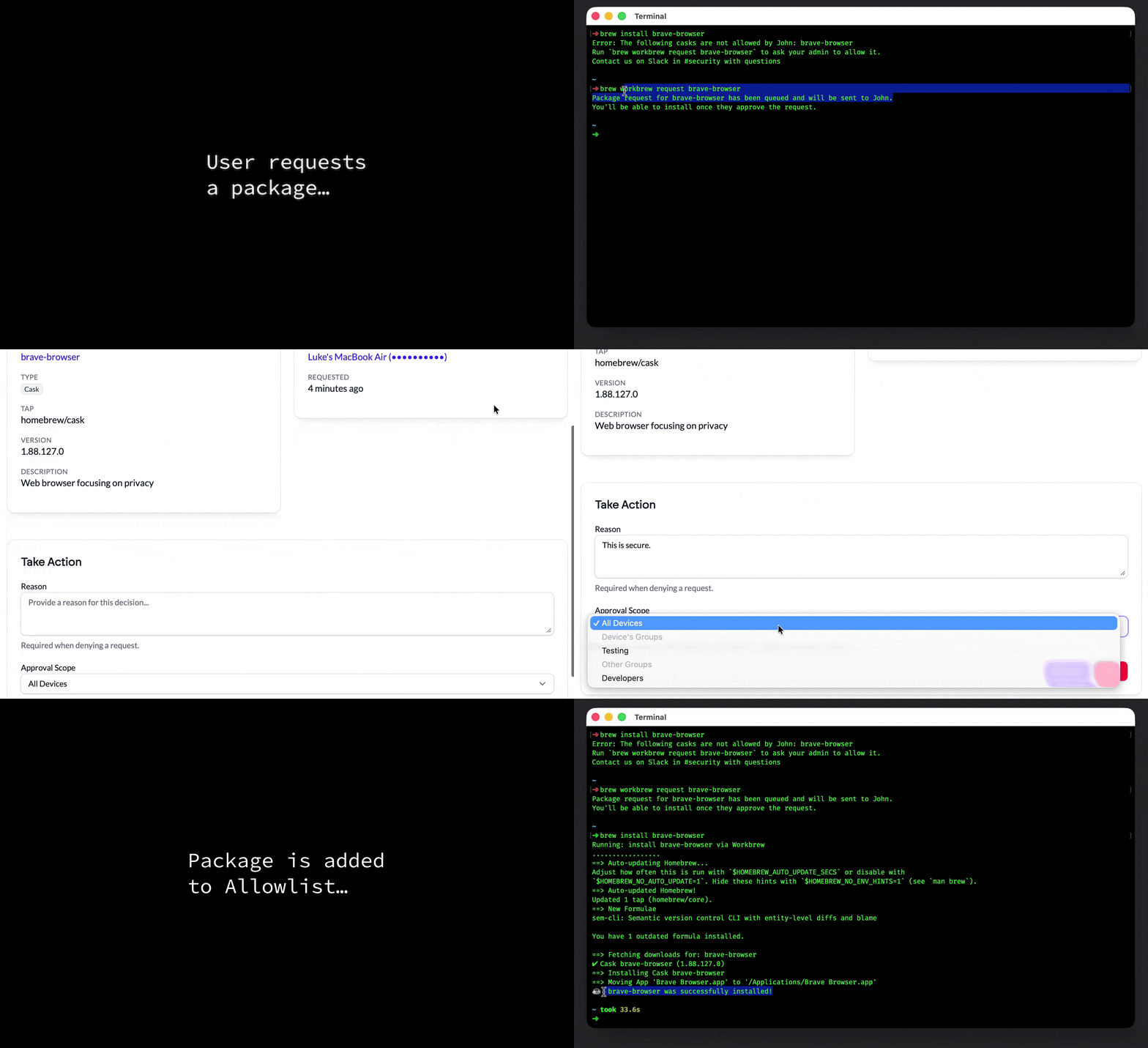
When a Standard user tries to install an app blocked by a Cask allowlist policy, running brew workbrew request <cask-name> sends a request directly to their admin — no need to context-switch to Slack or Jira to file a ticket. The request is triggered right in the Terminal, where developers are already working. Admins pick it up in the Console, approve or deny with a single action, and choose whether the approval applies to a device group or the whole workspace.
Every request, approval, and denial lands in the Activity Log, so there’s a full audit trail from request to resolution. There’s a lot more to it, read the feature deep-dive on our blog.
For Admins:
- Review and action all pending package requests in one place
- Approve to a specific device group or workspace-wide
- Every request, approval, and denial recorded in the Activity Log
For Your Team:
- Request apps from the Terminal without context-switching to Slack or Jira
- Get notified on next agent check-in when a request is approved or denied
Package requests are now available on Enterprise plans.
Package Tags
The official Homebrew taps have tens of thousands of packages that serve many different needs. When a new package request comes in, or you’re building out a policy, you have to ask: is this a developer tool? A security scanner? A database client? Until now, the answer required going off and doing research on each and every package.
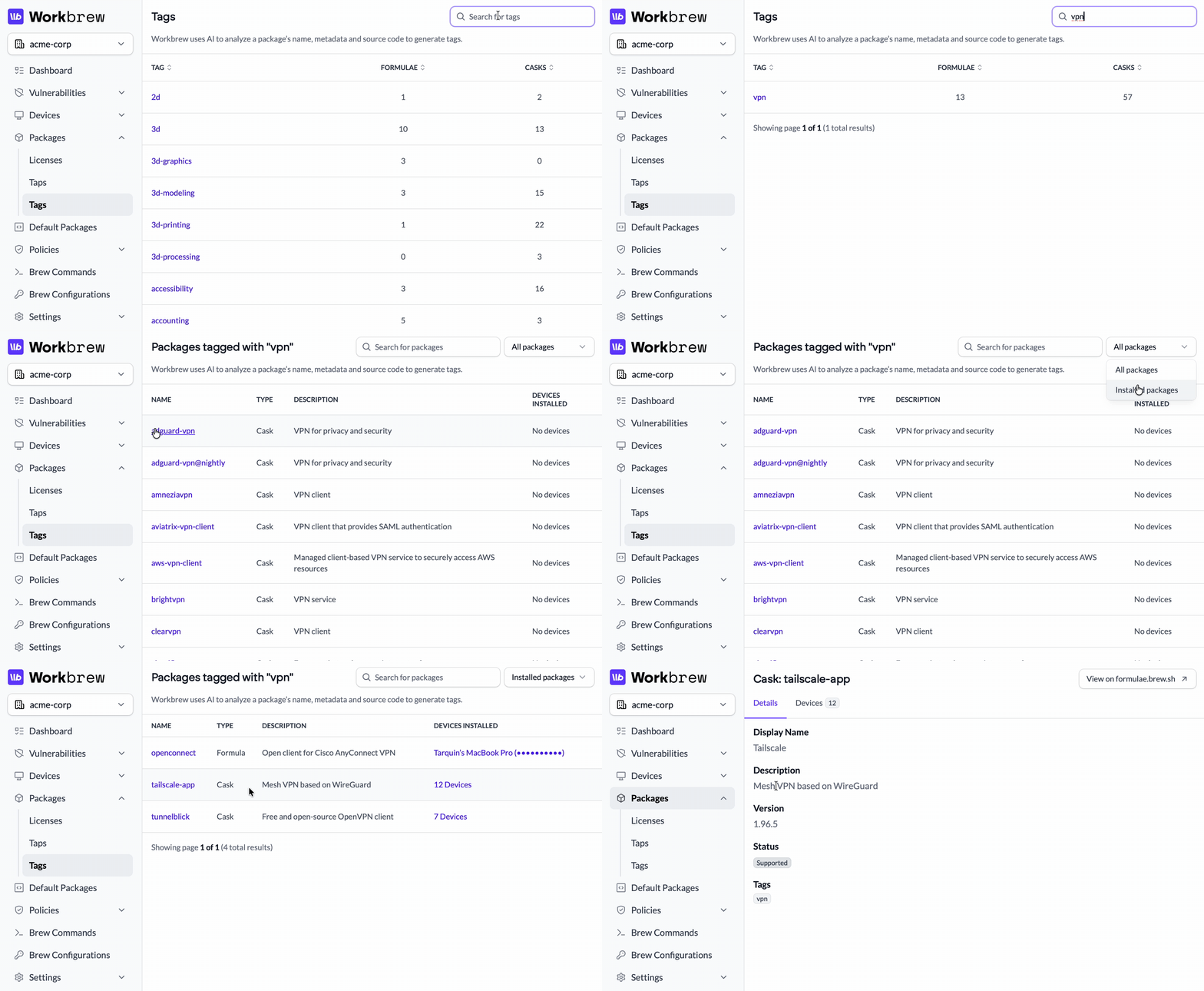
Workbrew now automatically tags every formula and cask in the catalog, synced directly into the Console. The catalog is fully searchable and sortable by tag. Click into a category and you can filter by all packages in that category, or narrow it down to just the ones installed across your fleet, with device counts so you know exactly how widely something is deployed. Click into any individual package and you’ll see every tag it’s been assigned, giving you the full picture before you make a call.
Package Tags give admins the context to make better allow, disallow, and block decisions, without having to go digging.
For Admins:
- Browse and search the full Homebrew catalog by category
- Filter any category to see only packages installed in your fleet, with per-device counts
- Understand what a package does before deciding how to handle it in policy
- Build allowlists and policies at the category level, not just package by package
Package Tags are now available on Pro and Enterprise plans.
A More Actionable Dashboard
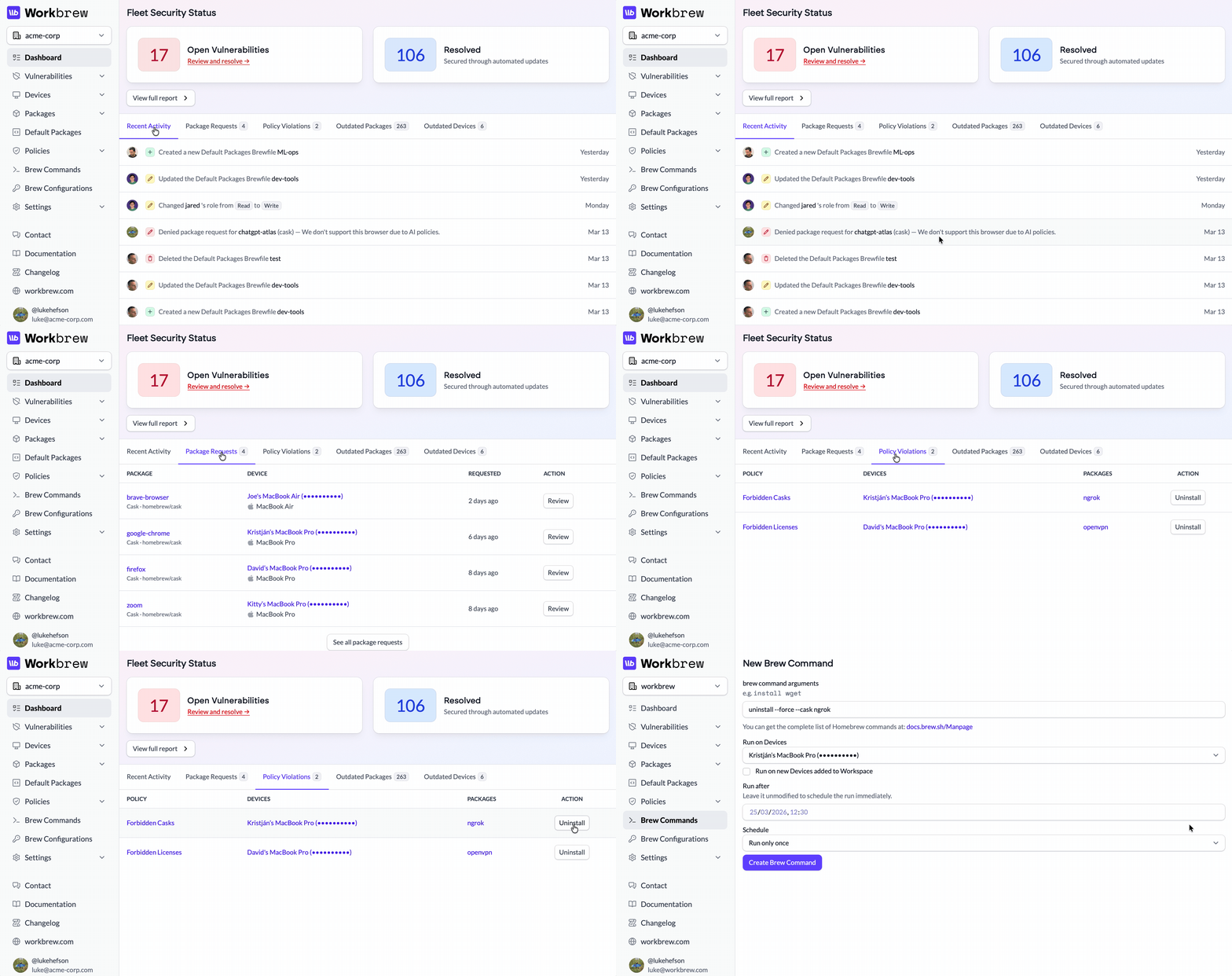
The Workbrew dashboard has been rebuilt from the ground up. Read the full story of the redesign in Emil’s post on our blog.
The summary tiles are gone. In their place: focused tabs for Recent Activity (pulling directly from the Activity Log) pending Package Requests, Policy Violations, Outdated Package and Outdated Devices. Act on violating packages quicker, with direct actions to uninstall packages from affected devices.
For Admins:
- See which recent events need your attention
- Act on policy violations directly without having to navigate to a separate page
- Outdated packages are ranked by fleet-wide impact, not alphabetically
Dashboard widgets are gated depending on the features available on your plan.
Mosyle and Hexnode MDM Integrations
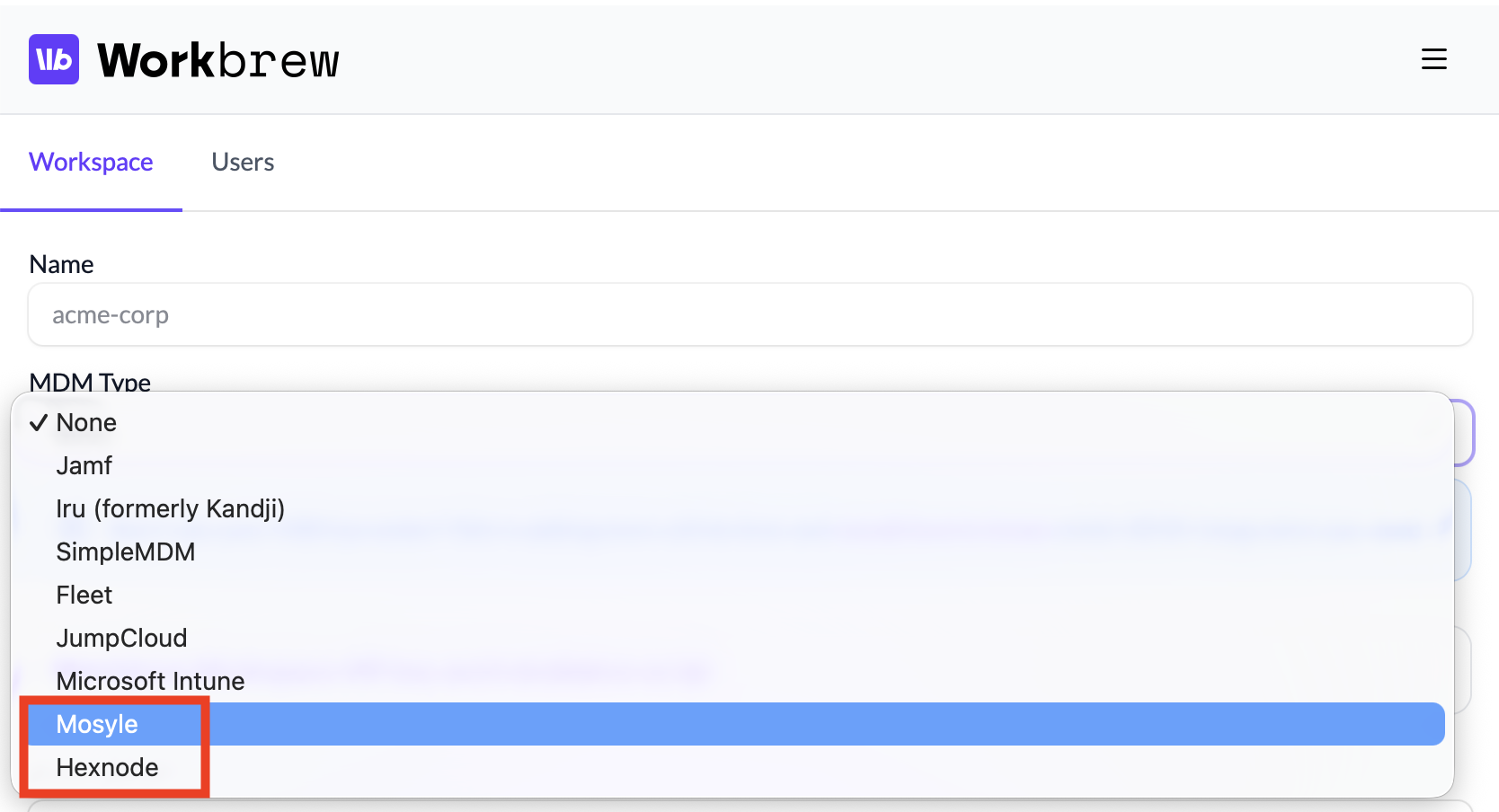
Workbrew now integrates with Mosyle and Hexnode. Connect either account and Workbrew syncs your device inventory and device groups automatically, keeping your fleet organized without manual upkeep.
For Admins:
- Connect Mosyle or Hexnode as your MDM provider
- Sync device groups from your MDM into Workbrew
- Manage Homebrew software across your managed fleet without MDM scripting
Available on all plans. Deployment guides available.
Quality of Life Improvements
Workspace Owner
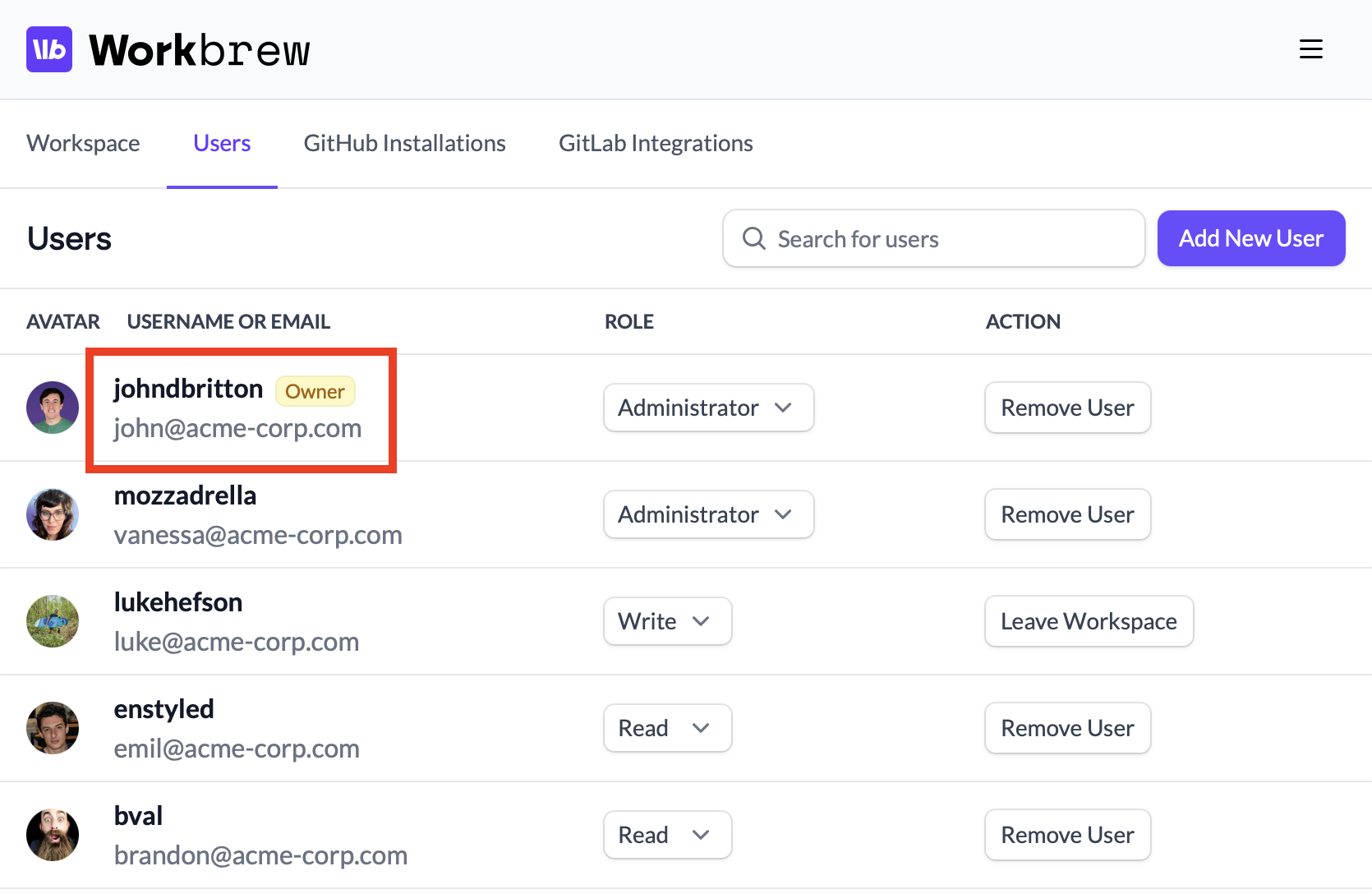
Workspaces now have a designated owner, shown with a badge on the Members page. The owner is the only person who can delete the workspace or modify the subscription, creating a separation between account ownership and day-to-day administrative access.
Better Brew Wrapper Guidance
When brew’s wrapper check fails — usually because the Workbrew agent isn’t running or brew access isn’t configured — users now see a link to the relevant help article instead of a bare error. Less head-scratching, faster resolution.
What's next?
That’s Workbrew 1.8. As always, we’d love your feedback. Reach out and let us know what you think.
Not on our mailing list yet? Subscribe here to get release notes delivered to your inbox.