Workbrew dashboard redesign: less noise, more actionable insights
Emil Nikov
Dashboards tend to accumulate information over time, each new metric, additional status column, and alert category made sense when it was added. The cumulative effect is a dashboard that requires a lot of interpretation before anything useful happens. You end up with IT admins triaging noise instead of responding to real problems, and security teams reconstructing a picture of fleet health from a dozen separate views.
Where teams ran into friction
When we looked at how teams were actually using the console, a few patterns stood out. IT admins were navigating between views to answer questions that should have been answerable from a single place. Security practitioners were pulling data into external tools to get the compliance overview they needed. The information architecture wasn't built to serve any of them particularly well.
Built for how your teams actually work
The redesign centres on navigation and information hierarchy rather than adding new functionality. The most relevant information is now surfaced at the top level, without requiring a drill-down to find it.
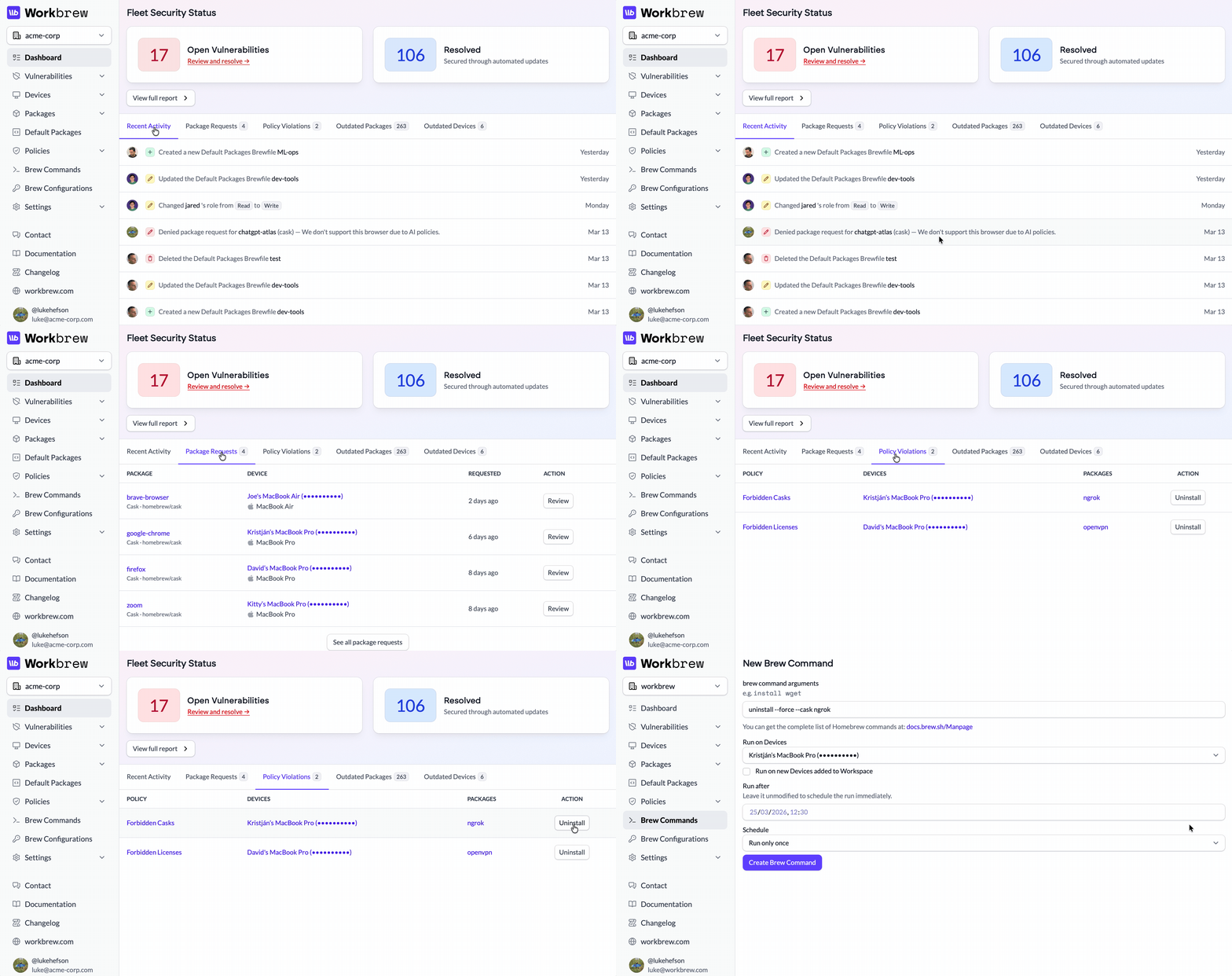
For IT admins, fleet status is visible at a glance. Devices that need attention are grouped and prioritised, so the first thing you see when you open the console is what requires your time, rather than a complete inventory of everything running.
For security teams, compliance posture is now a first-class view rather than something assembled from separate reports. Policy status, package versions, and risk indicators are consolidated to support both day-to-day monitoring and the point-in-time snapshots that audit processes require.
For engineers, the console stays out of the way. Package access and environment status are visible without competing with operational information that isn't relevant to their workflow.
Less coordination, more getting things done
The friction between these groups often comes from the same place: everyone working from incomplete information, assembled through a process that takes time and introduces gaps. A security team with a consolidated view of fleet risk can respond to issues faster and document remediation more easily. IT admins spend less time building a picture of fleet health manually. Engineers keep building with the tools they love.
Keep the feedback coming
Quality of life improvements in the console are the foundation for a more connected view of fleet health. Take a look at what's changed and send us a message about what's working and what isn't.