
Workbrew 1.10 release notes
Luke Hefson
Workbrew 1.10 is all about securing your fleet. The big ticket items are vulnerability tracking for casks and native support for Homebrew tap trust, but there's plenty packed in alongside them. Including a more complete activity log, configurable notifications for new package requests, and as ever, a number of everyday Console improvements.
Cask vulnerability tracking
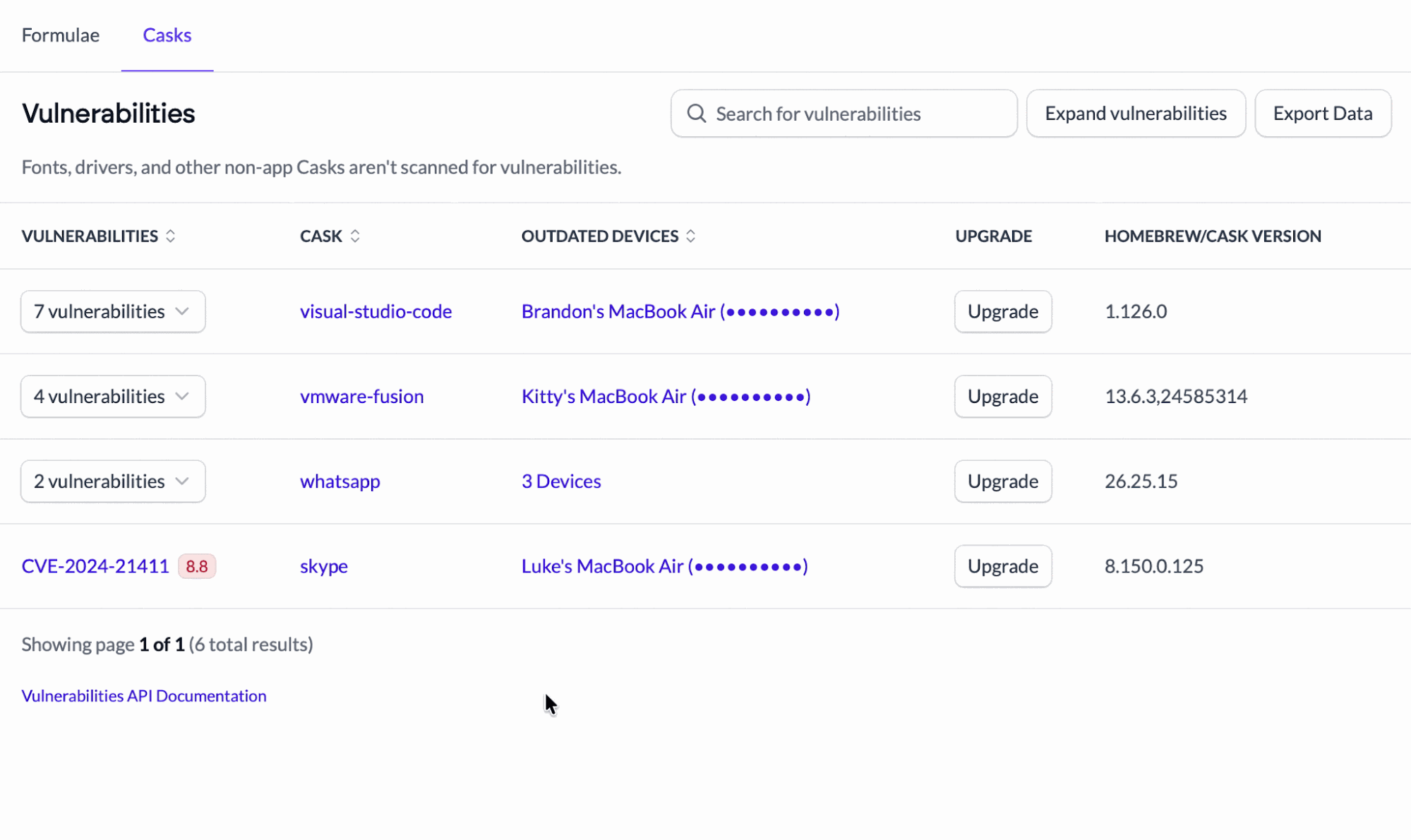
Workbrew has long tracked known vulnerabilities in your Homebrew formulae. Now we’re extending that same visibility to Homebrew casks, so you can identify vulnerabilities across the GUI apps your team installs as well.
The Vulnerabilities page now has a dedicated Casks tab alongside Formulae, tracking known vulnerabilities across every installed instance of a cask in your fleet, with one-click upgrades for anything outdated.
Click into any cask to see exactly where it lives: which devices have it, which versions they're on, and which are out of date, and see actions to upgrade or uninstall per device.
For Admins:
- See known vulnerabilities for casks across your fleet.
- Drill into any cask for a per-device breakdown of versions and what's outdated.
For Your Team:
- Upgrade outdated, vulnerable casks in a single action.
Cask vulnerability tracking is now available on Pro and Enterprise plans.
Secret Brew Configurations
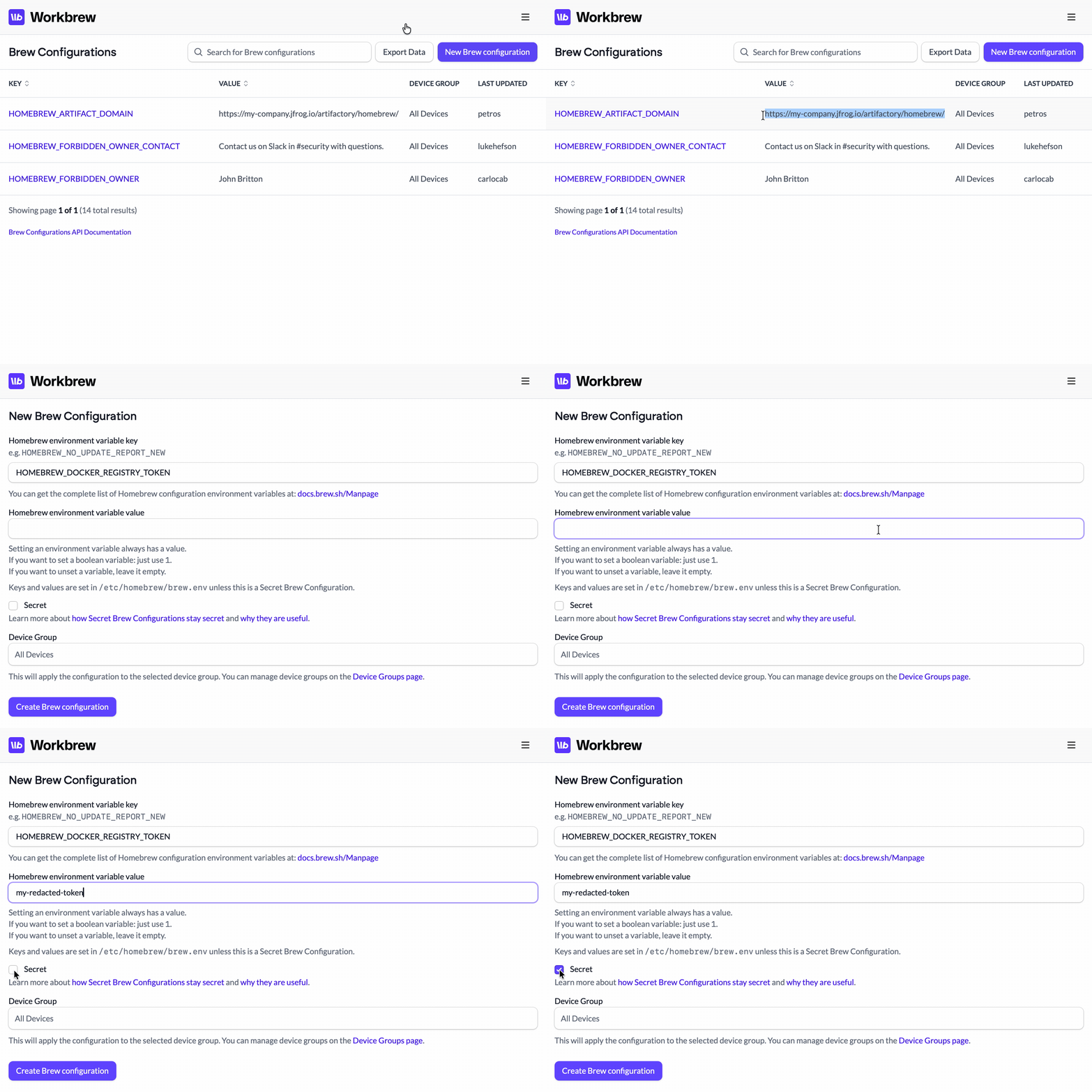
A Secret Brew Configuration is a Homebrew environment variable whose value is masked in the Console and never written to disk on your devices. The Workbrew agent keeps it in memory and injects it into the environment only when it runs the brew operation that needs it, so it stays out of reach of your users and the file system. That makes it a safe way to hand a brew operation a sensitive value it needs at runtime, like a token for fetching a private artifact during an install.
Secret Brew Configurations are now generally available on Enterprise plans.
Notification integrations in the Activity Log
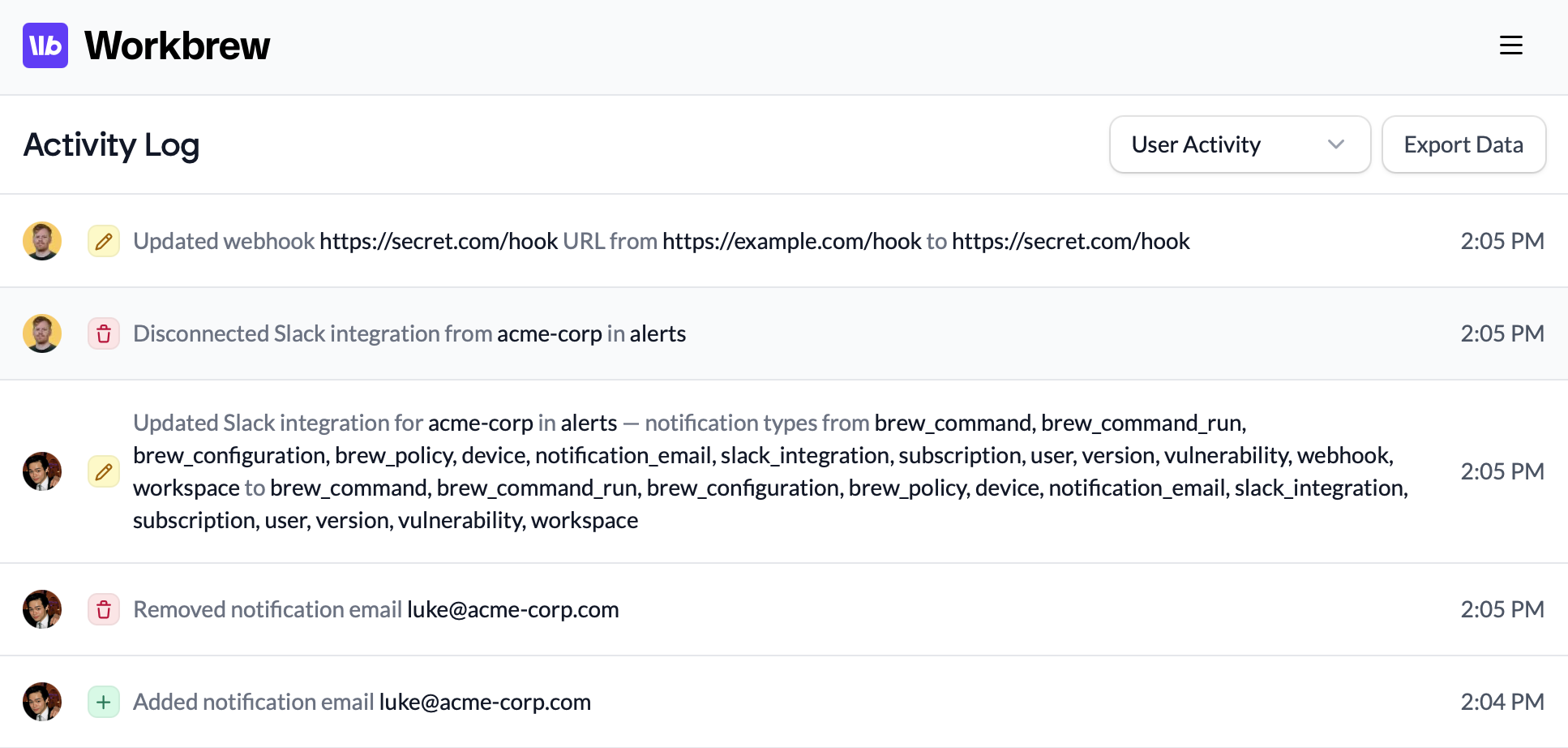
The Activity Log is your workspace's audit trail: who changed what, and when. In 1.10 we've extended it to cover your notification integrations. Creating, updating, or removing a webhook, Slack integration, or notification email is now recorded in the log, capturing the console user who made the change and exactly what changed.
For Admins:
- Full audit coverage for webhooks, Slack integrations, and notification emails.
- See who changed a notification integration, when, and what changed.
The Activity Log is available on Enterprise plans.
Package request notifications
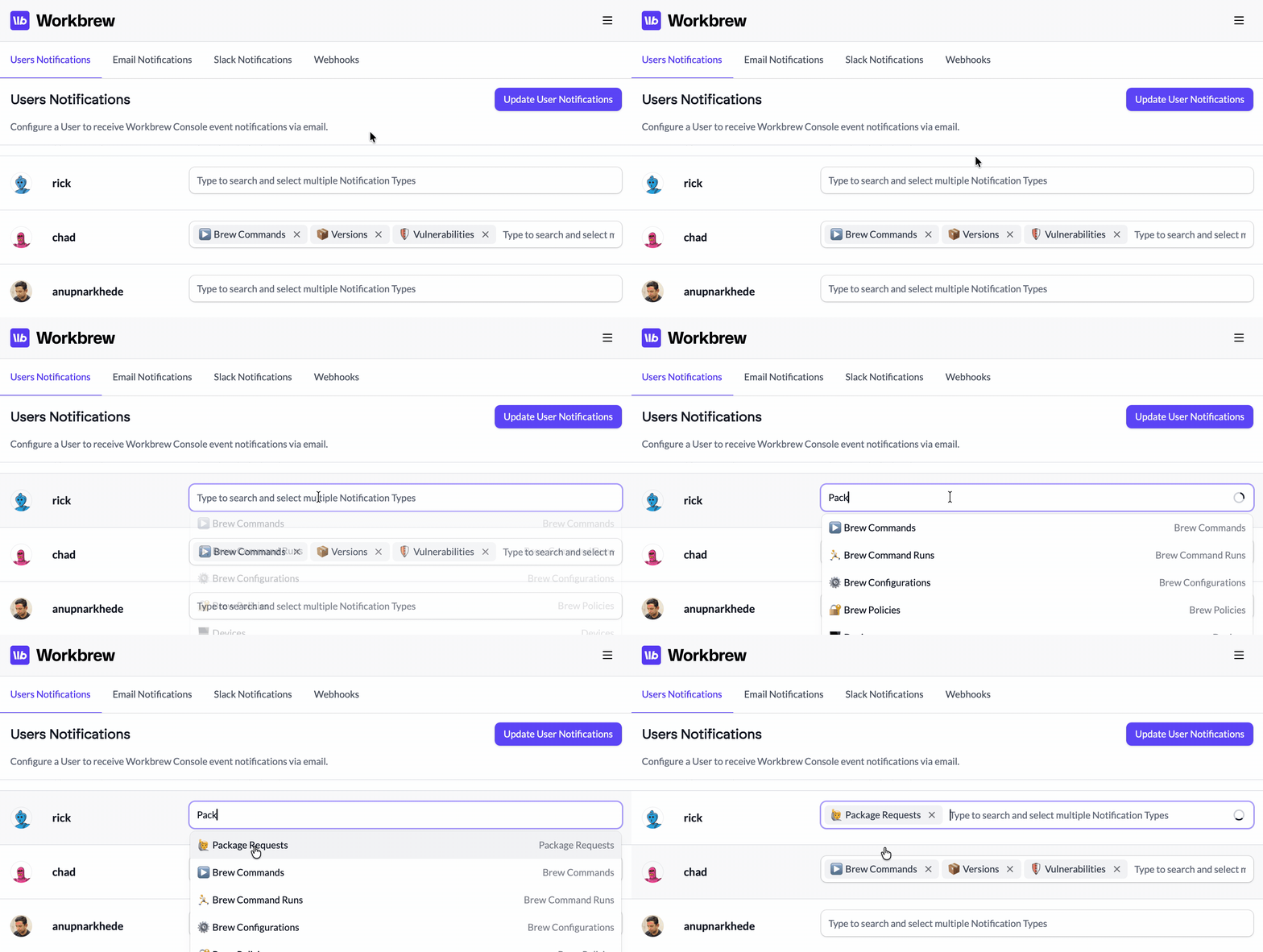
When a team member requests a package, an admin needs to act on it, but it's easy to miss one sitting in the Console. Workbrew 1.10 introduces a new notification type to let admins know as soon as a new package request comes in.
For Admins:
- Get an email, slack, or webhook notification when a team member submits a package request.
For Your Team:
- Faster turnarounds on package requests.
Package requests are available on Enterprise plans.
Tap trust
Homebrew 6 introduced tap trust. Software from a third-party tap is ignored unless it's trusted, as a safeguard against malicious or impersonated taps.
Workbrew takes that decision off your users and puts it in the hands of administrators, managing tap trust for your whole fleet.
- Packages from private taps and allowed third-party taps are trusted automatically.
- Taps pushed on-demand from the Console, whether through a
brew tapBrew Command or a Default Packages Brewfile, are also trusted automatically.
For Admins:
- Trust is decided centrally for the whole fleet. Device users don't need to approve taps themselves, and can't trust arbitrary taps.
- Software from your private and allowed taps installs without anyone hitting a trust prompt.
For Your Team:
- Less friction getting the software you need.
Tap trust is handled automatically wherever you manage taps in Workbrew.
More UX improvements
A few smaller quality-of-life changes across the Console:
- Jump from a package to the devices running it. The device count on any formula or cask in your package index now links straight to that package's Devices tab, where you can see installed versions, filter to just the vulnerable devices, and uninstall per device.
- Taps link to their source. Tap names in your Brew Taps list now link to the upstream repository, whether it's on GitHub or GitLab, so auditing what's inside a tap is one click away.
- Warnings for private tap sync failures. If a private tap stops syncing for a reason you can fix, like revoked access or a renamed repository, the error now shows up in your workspace settings instead of failing silently.
- Log into SSO with an email address. The SSO domain field now accepts a full email address and pulls out the domain for you. Less confusion when logging in via SSO!
And that's a wrap on 1.10. If you've got thoughts, we want to hear them.
Want this in your inbox next time? Subscribe for release notes as they land.