
Workbrew 1.6 release notes
Luke Hefson
This release focuses on clarity. Better reporting, easier navigation, and more control over how you manage Homebrew across your fleet. Workbrew 1.6 also introduces a new private beta for secure configuration management and expands support for private taps.
Understand the History of Fixes with Vulnerability Change Reporting
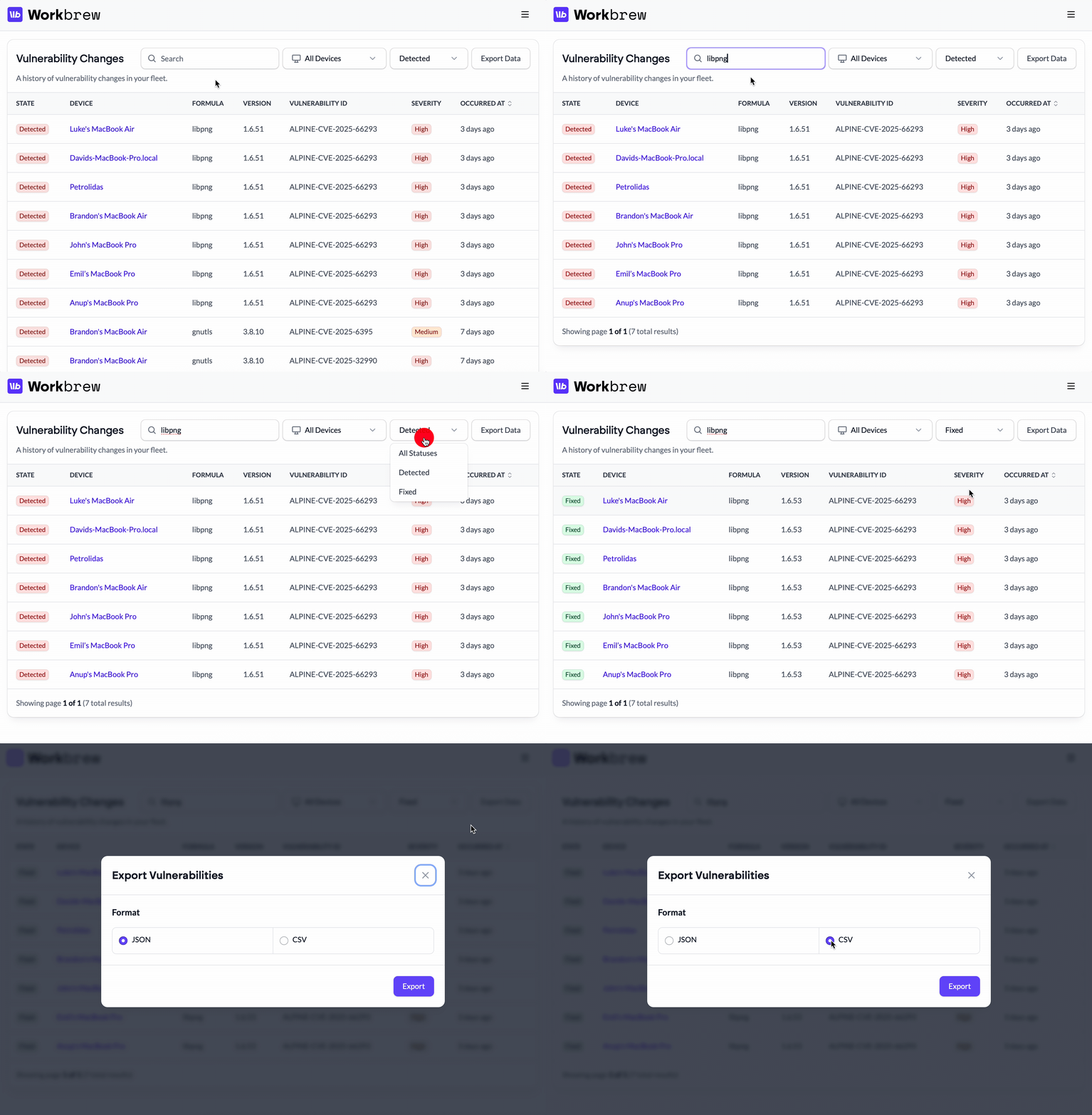
The new Vulnerability Changes page gives you a clearer view of how issues evolve across your fleet. You can search for a formula, then toggle between Detected and Fixed to see when a vulnerability first appeared and when it was resolved. It’s a faster way to trace impact and confirm fixes without digging through raw data.
For Admins:
-
Quickly audit remediation across devices.
-
Export filtered reports that show only unresolved or already fixed vulnerabilities.
For Your Team:
- Use exported change history to inform internal policies.
Vulnerability Change Reporting is now available on Enterprise plans.
Track Vulnerability Remediation at a Glance
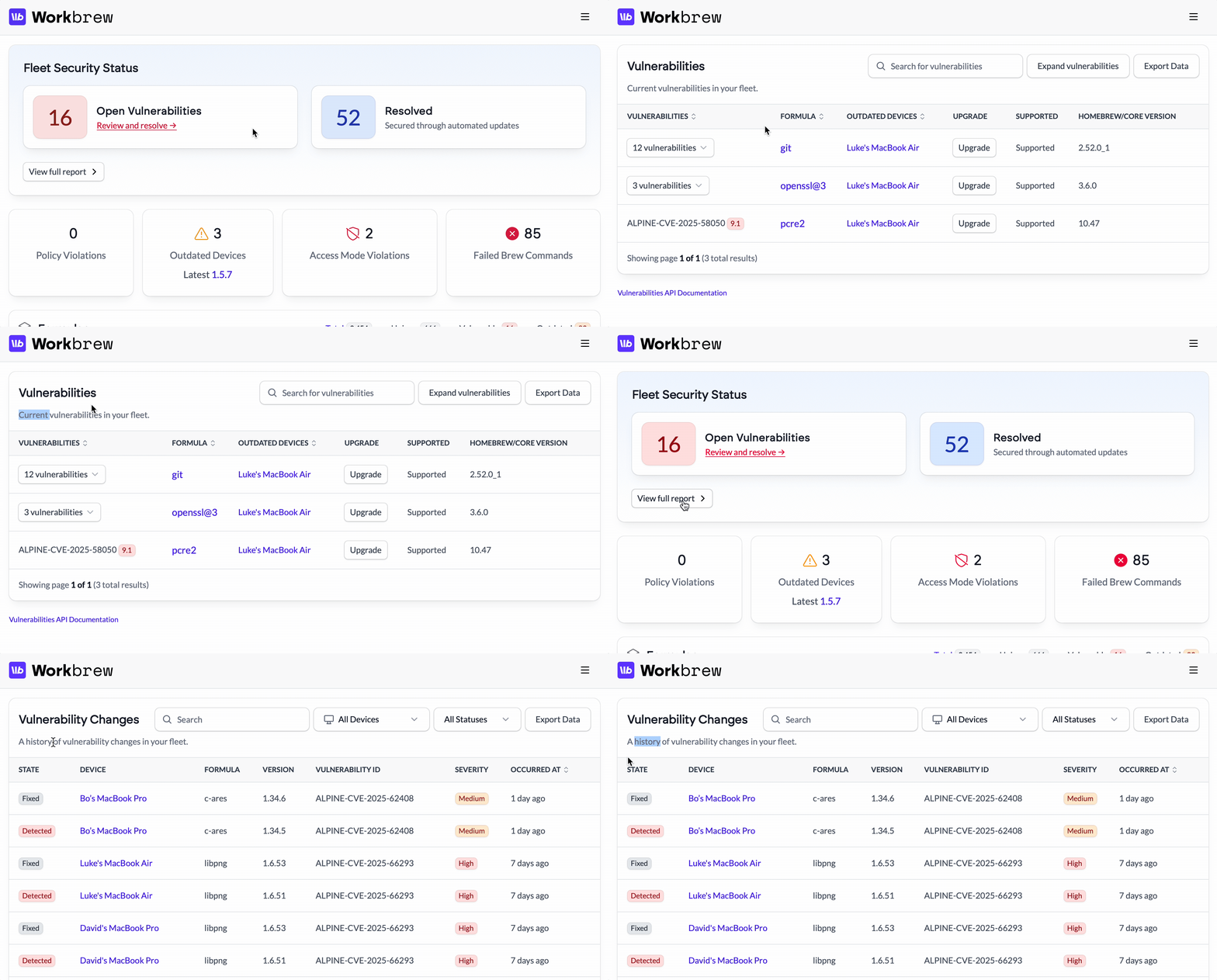
Vulnerability Change Reporting shows you what’s changed. The new Fleet Security Status dashboard widget gives you an instantly accessible overview of fleet health.
At a glance, you can see how many vulnerable packages still need fixing and how many issues have already been resolved. This makes it easy to understand both current risk and remediation progress without leaving the dashboard.
When you need more detail, you can still drill into the full vulnerability report from the widget.
The Fleet Security Status Dashboard Widget is now available on the Pro and Enterprise plans.
GitLab.com Support for Private Taps
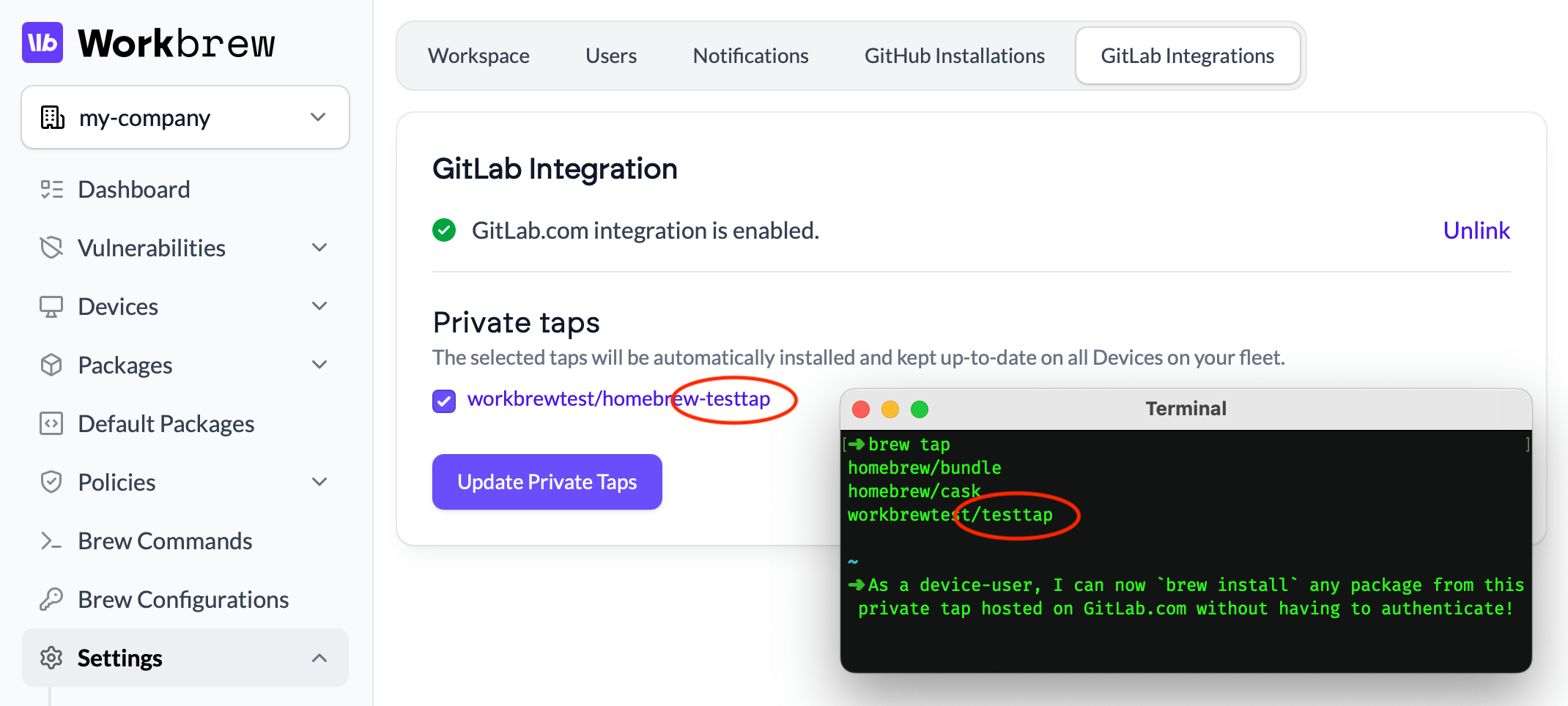
Workbrew now supports GitLab.com for managing and distributing private taps. Connect your GitLab account, select the taps you want to deploy, and Workbrew handles device-user authentication, installation and updates across your fleet.
This change enables support for arbitrary Git hosts, and in the near future, we’ll bring support for GitLab Self-Managed, GitHubEnterprise, and any other Git host for Private Taps. If you’re interested in beta access — let us know.
For Admins:
- Host your private taps where your code lives.
For Your Team:
- Keep internal tooling distributed and up to date across all devices.
The GitLab.com Integration for Private Taps is now available on the Enterprise plan.
Private Beta: Secret Brew Configurations
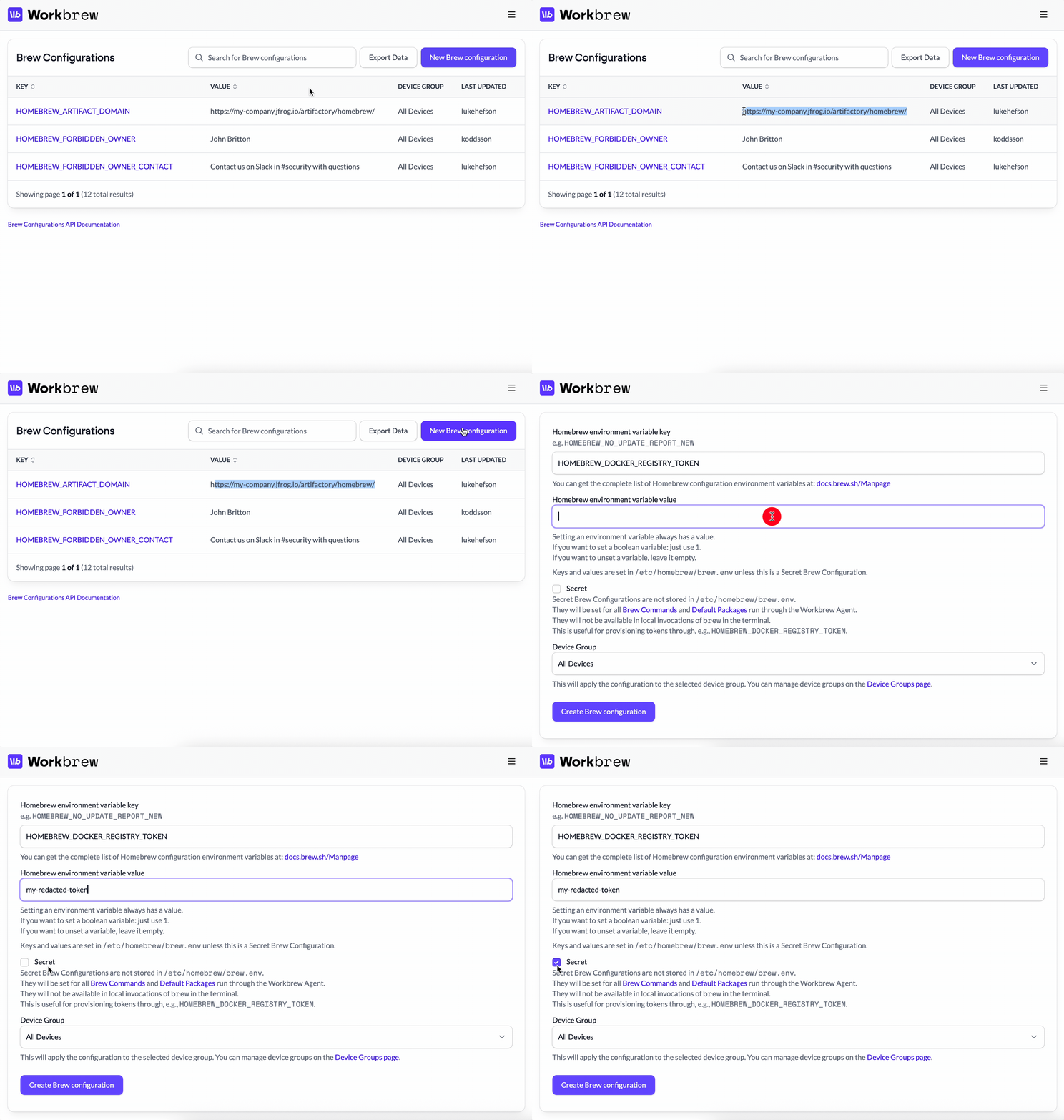
Secret Brew Configurations let admins provision tokens and credentials for agent-run brew operations without persisting them to disk or exposing them to local brew runs.
Kept only in the Workbrew Agent’s runtime memory and injected at execution time, these secrets remain invisible to users and the file system, letting security teams eliminate plaintext credentials from devices and achieve high compliance for sensitive resources such as private registries.
If you’d like access, reach out and we’ll enable the beta for your workspace.
Secret Brew Configurations are available in private beta.
Accessibility Updates
1.6 includes a series of accessibility-focused improvements such as updated aria labels and expanded automated checks & scanning in order to keep the Workbrew Console highly accessible..
Updated for all plans.
Additional User Experience Improvements
We love to hear feedback from customers on how Workbrew can improve. Here’s a handful of improvements sourced from customer requests.
A Cleaner, More Focused Console
This update includes some information architecture updates to the UI that make everyday navigation smoother.
-
The top bar is gone, giving you more room to work.
-
Related sections in the sidebar are now grouped more logically for easier navigation.
Updated for all plans.
Device Group IDs at Your Fingertips
Device Group IDs now surface directly in the Console. This helps when integrating with the Workbrew API and our Sync Brewfiles GitHub Action — when you want to target specific groups for managing with Infrastructure as Code (IaC).
Available on Pro and Enterprise plans.
Stay Ahead of Device Limits
Enterprise customers with device limits enabled will now see warnings as your workspace approaches its limit. This helps avoid enrollment surprises and gives you time to plan upgrades if needed.
Available on Enterprise plans.
That’s Workbrew 1.6. Got any feedback? Give us a shout.