
Workbrew 1.11 release notes
Luke Hefson
Vulnerability patching is now a policy type of its own in Workbrew 1.11, with a severity threshold you set rather than an all-or-nothing switch. The Workbrew catalog is public now too, so anyone can browse what Workbrew manages without signing in. Alongside those, package request decisions reach your team as native macOS notifications, the Console got an upgrade with a new command palette, workspace ownership can be transferred, plus there’s a rebuilt Brew Command Run page.
Vulnerability Patching policies
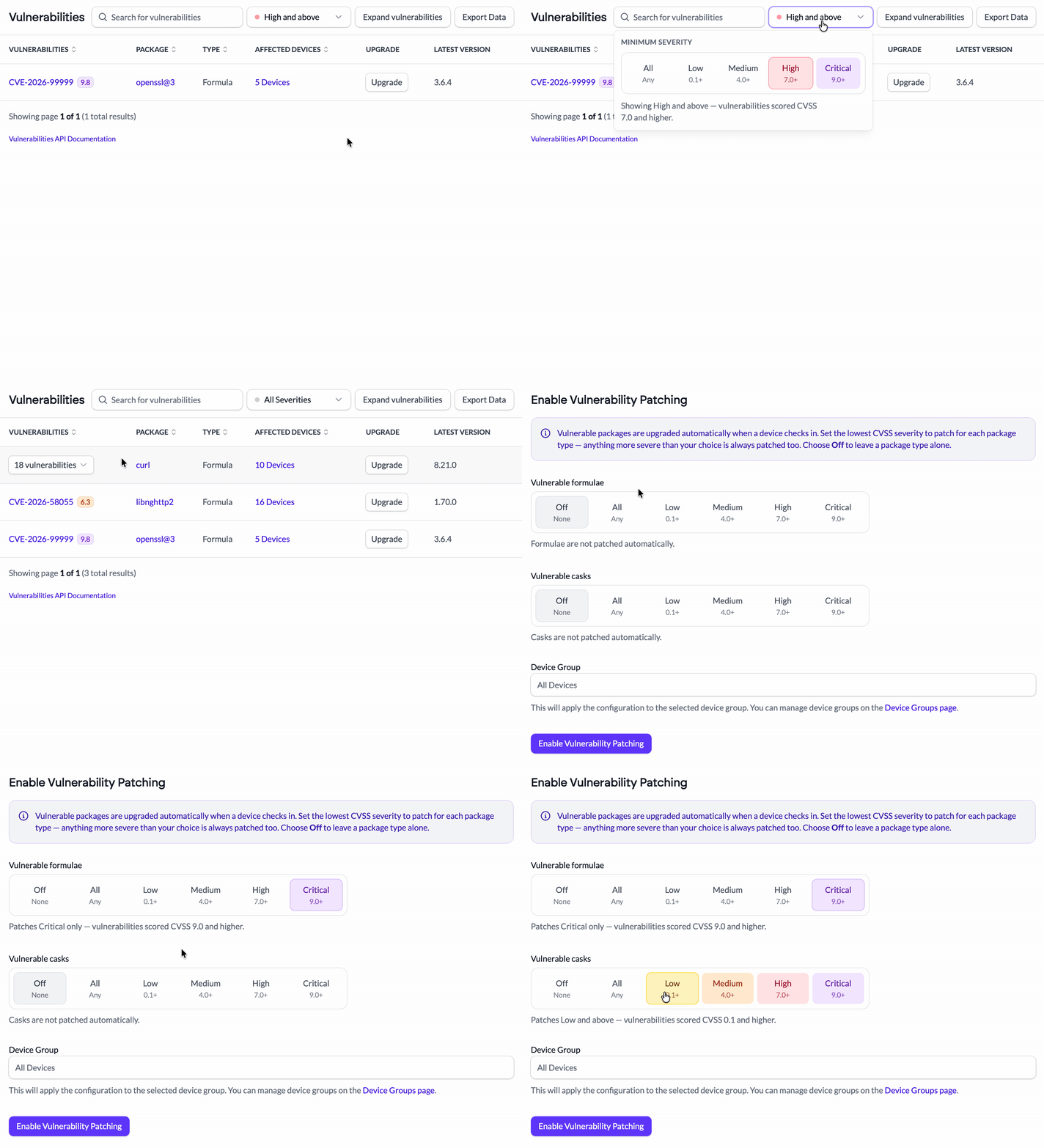
Workbrew has tracked known vulnerabilities across your formulae and casks for a while. Acting on them was the less-nuanced part: a combined policy type that wasn’t intuitive and gave little affordance for granularity.
Vulnerability Patching is now its own policy type which you can configure by severity. You pick the threshold you care about and Workbrew upgrades packages carrying vulnerabilities at or above it, leaving everything below alone. This means you can have a policy that declares that Critical and High get closed automatically while Medium and Low go on a list for someone to review and process.
For Admins:
- Set a severity threshold and let Workbrew patch and close vulnerabilities at or above it.
- Filter the Vulnerabilities page by severity to see what will fall inside and outside of your policy.
For Your Team:
- Critical packages get upgraded before they can cause an issue for you.
- Less critical packages aren’t upgraded underneath you unnecessarily.
Vulnerability Patching policies are now available on Pro and Enterprise plans.
The Workbrew Catalog
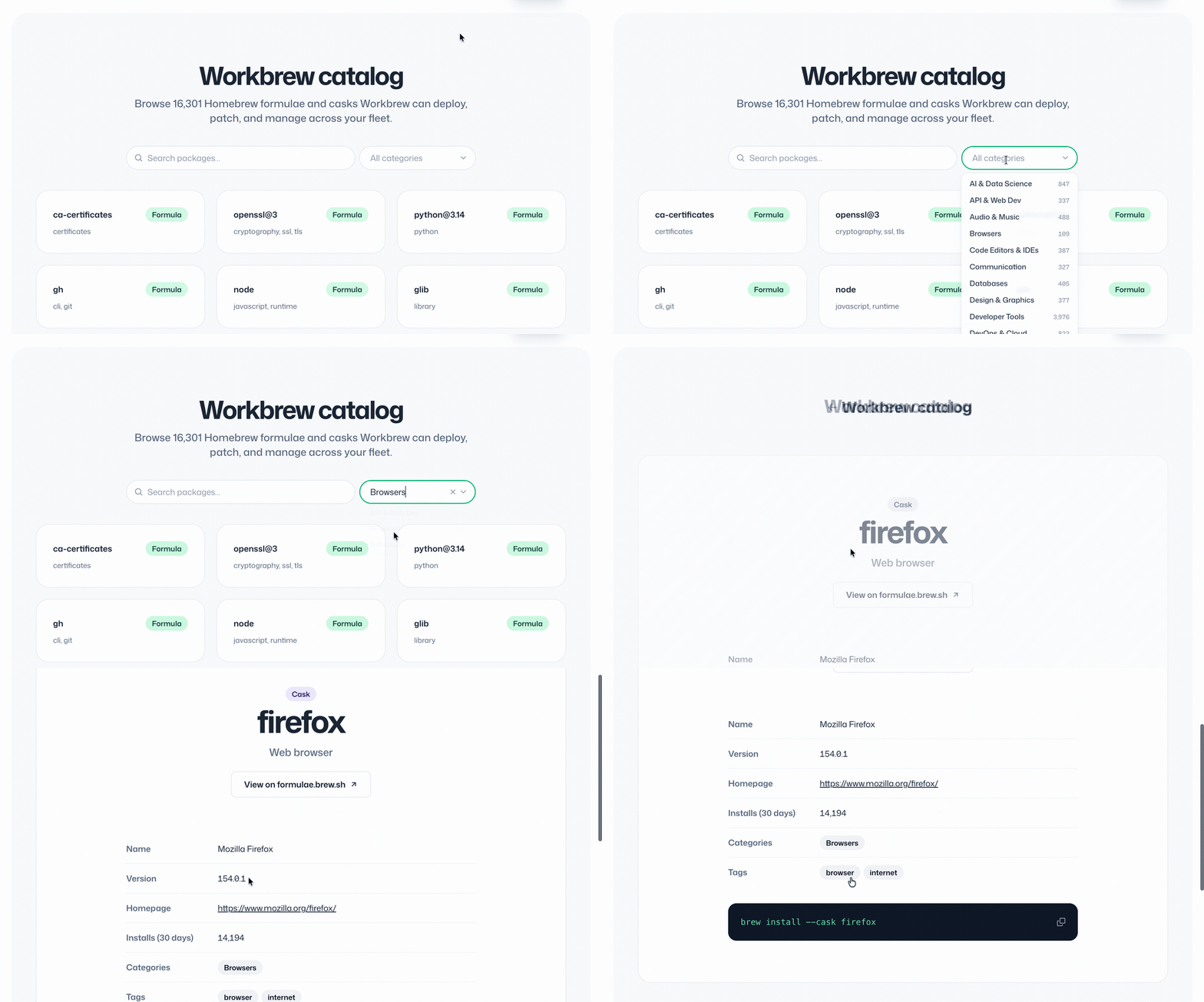
The Workbrew catalog is the software Workbrew can deploy, patch, and manage across a fleet, and seeing what was in it used to mean signing in. It's now public at workbrew.com/catalog, covering 16,000+ Homebrew formulae and casks, with no account needed.
Search it as you type, or browse by category with a count against each one. Every package has a page carrying its version, license, homepage, installs over the last 30 days, and a copyable install command. In the Console, formula and cask pages now link here rather than out to formulae.brew.sh.
For Admins:
- Check whether Workbrew manages the software you use, before you sign up.
- Send someone a link to a package rather than describing it.
The Workbrew catalog is public and free to browse for all.
On-device notifications for package requests
When a developer requests a package, the decision used to be something they discovered the next time they tried to install it. The Workbrew Agent now delivers approvals and denials to the device as native macOS notifications, and it does this whether or not the device has the Workbrew App installed. If a request is approved and the app is there, clicking the notification opens it.
For Admins:
- Approve or deny in the Console and the person who asked hears about it, without you telling them.
For Your Team:
- A native notification the moment a request is decided, app or no app.
On-device notifications for package requests are now available on Enterprise plans.
Command palette
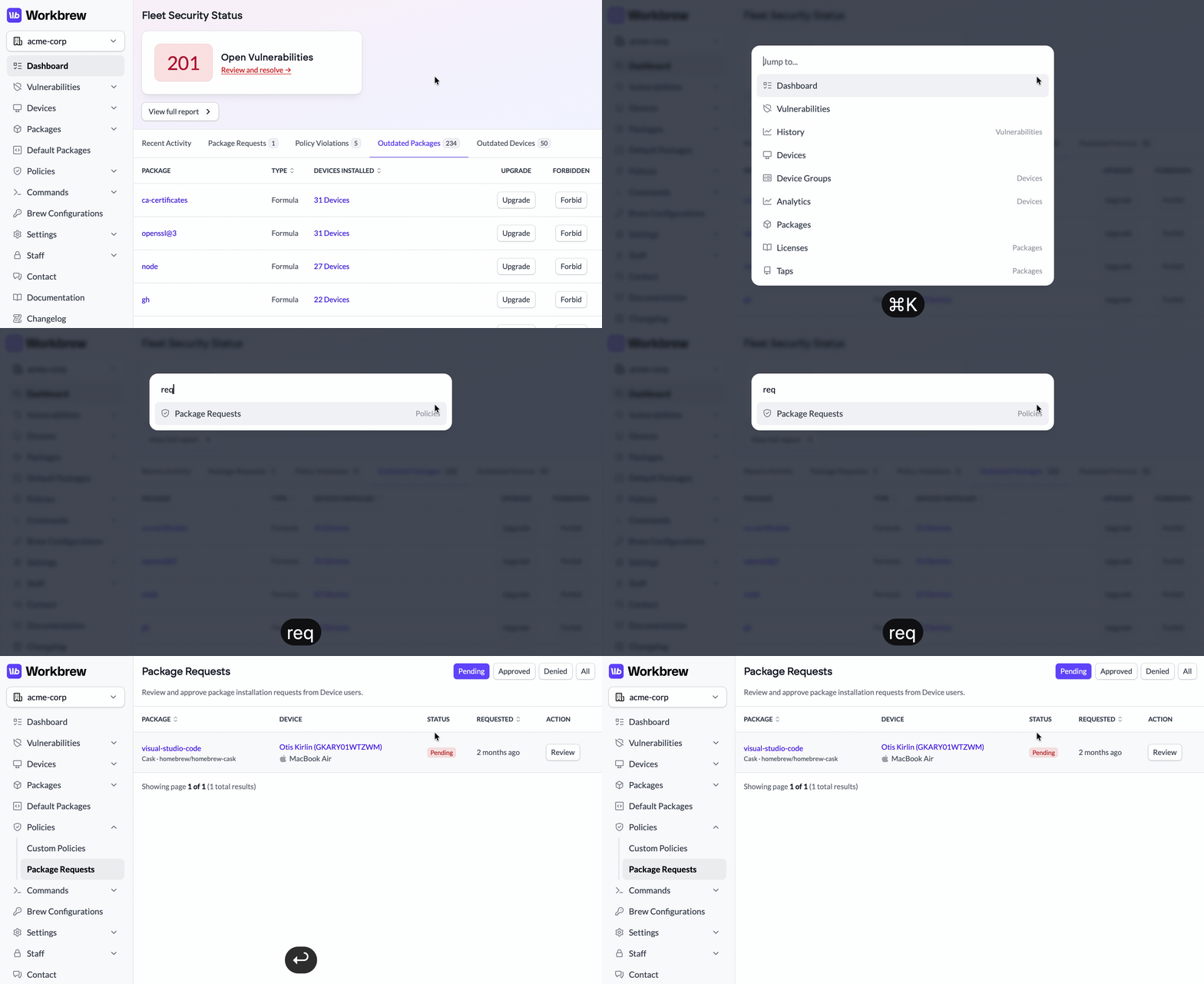
Press Cmd+K anywhere in the Console (Ctrl+K if you're not on a Mac) and type a few characters to jump to any page, instead of hunting through nested navigation sections. It fuzzy-matches as you type, highlights the top result so Enter takes you straight there, and arrow keys work without losing your place in the search field.
For Admins:
- Reach any page in the Console in a couple of keystrokes.
The command palette is available on all plans.
Transfer workspace ownership
Workspace owners can now hand ownership to another member from workspace settings. Whether someone changes roles or leaves, or the person who signed up was never meant to hold the workspace long term you can now sort it out yourself.
For Admins:
- Transfer ownership of a workspace to another member without involving Workbrew support.
Workspace ownership transfer is available on all plans.
A rebuilt Brew Command Run page
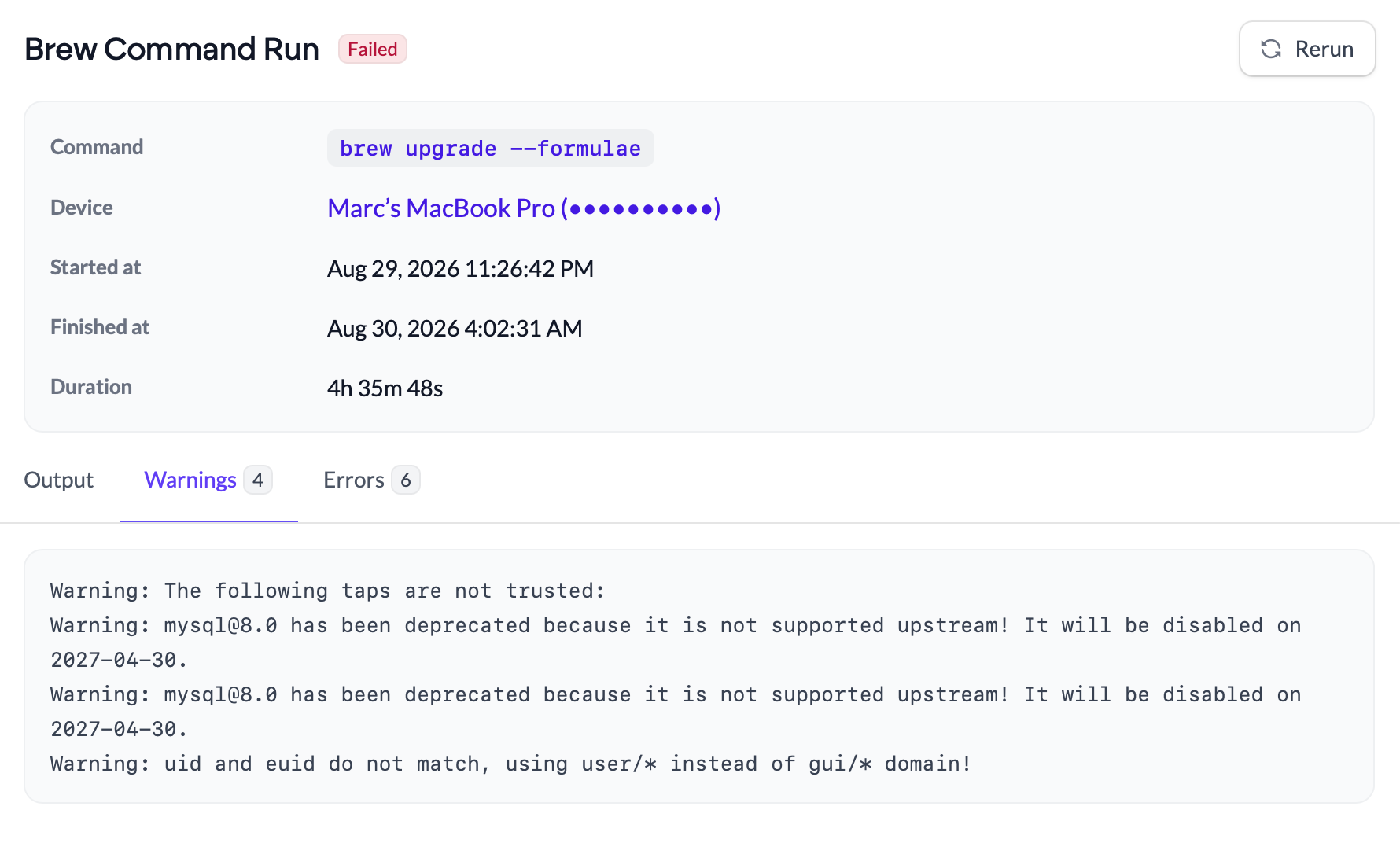
The page for a single Brew Command run has been redesigned around the questions people actually open it to answer. The command, the device, when it started, when it finished, and how long it took are laid out together at the top. Plus, the run's status as a badge beside the heading and a Rerun button next to it for running the same command on the same device again.
Runs that haven't produced output yet say so, rather than showing you an empty box, and a run still in progress says it's still running instead of leaving the finished timestamp blank. Duration is spelled out rather than left for you to work out from two timestamps.
For Admins:
- See a run's command, device, timings, and duration in one place.
- Rerun a command on the same device in one click.
For Your Team:
- Less friction getting the software you need.
Brew Commands are available on Pro and Enterprise plans.
More UX improvements
A few smaller quality-of-life changes across the Console and the agent:
- See the latest available version on the dashboard. The outdated devices list on your dashboard now shows the version each device could be on, not just the version it's stuck at.
- An option to turn off Package Requests. Some administrators prefer to manage all of their software requests outside of Workbrew. If that’s you, you can now turn Package Requests off in the console.
- One digest instead of a hundred notifications. When a vulnerability sync brings in a large batch of new CVEs, Workbrew now sends a single digest for the workspace rather than a separate notification per vulnerability.
And that's 1.11. If you've got thoughts, we want to hear them.
Want this in your inbox next time? Subscribe for release notes as they land.